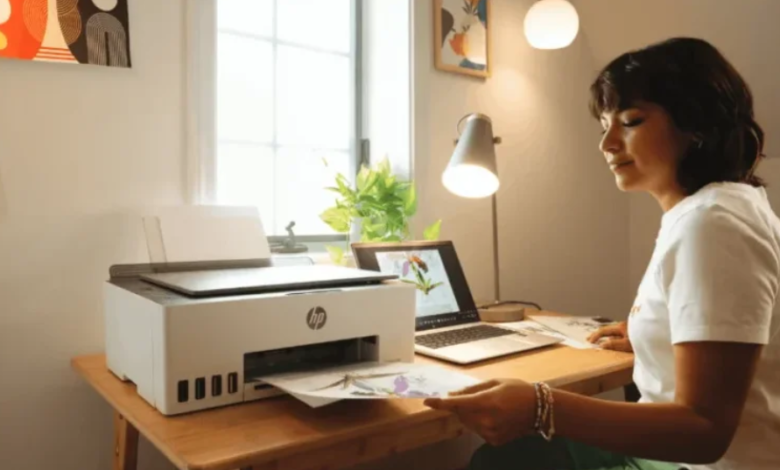
For many university students, the moment of completing a bachelor’s or master’s thesis is a milestone that represents years of study, research, late nights, and determination. After months of writing and revising, the final step is turning the digital document into a polished, printed thesis that leaves a professional impression. Many students in Germany rely on high-quality printing services like TesiLab for fast, eco-friendly printing and reliable binding that matches university standards.
A thesis is more than just text—it is the physical product of academic achievement. The way it looks and feels matters. While universities judge content first, the presentation often sets the tone even before the first page is read. A clean layout, sharp printing, strong binding, correct margins, and compliant formatting all influence how professors and reviewers perceive your work.
This guide explains how students can prepare their thesis for flawless professional printing, covering formatting, page layout, paper choice, color considerations, binding types, common technical issues, sustainability options, and tips for avoiding last-minute stress. By following these steps, you can ensure your final submission looks as serious and well-crafted as the effort behind it.
Why a Professionally Printed Thesis Matters
Some students initially assume thesis printing is a small detail. After all, the content is what truly matters. But when the document arrives in the professor’s hands, the physical presentation becomes the first impression. A beautifully printed thesis signals:
- Professionalism
- Seriousness
- Respect for academic standards
- Attention to detail
- Pride in your work
A poorly printed or sloppily bound thesis sends the opposite message. Common issues include:
- Smudged or dull printing
- Misaligned margins
- Cheap or thin paper
- Blurry images
- Covers that peel or crease easily
These are mistakes that can be avoided by planning ahead and choosing a reliable academic printing service. The goal is to create a thesis that looks durable, premium, and worthy of academic submission.
See also: Effect of Changing Lifestyle and Therapist Online
Before You Print: Prepare Your Digital File Carefully
Great printing begins long before you upload the final PDF. Spending time on file preparation prevents printing errors that cost money and create delays. Here are the essential areas to check:
1. File Format
Students should always submit their final thesis as a PDF, not Word, Google Docs, or Pages files. A PDF preserves:
- Fonts
- Margins
- Page numbering
- Tables and diagrams
- Color layout
- Formatting consistency
Most writing tools have a built-in “Export as PDF” function, which ensures page structure remains stable.
2. Font Embedding
If the fonts used in the thesis are not embedded, the printer’s software may substitute them, causing shifts in spacing and alignment. Most PDF export dialogs include an option such as:
- Embed all fonts
- Convert fonts to outlines
- Print-optimized PDF
If unsure, you can open the PDF properties afterward to verify that all fonts are embedded.
3. Margins and Page Layout
German universities may specify margin sizes for both readability and binding space. Common requirements include:
- Left margin: 2.5–4 cm (to allow for binding)
- Right margin: 2–2.5 cm
- Top and bottom margins: 2–2.5 cm
Large left margins are especially important for hardcover binding.
4. Page Numbering
Common page number mistakes include:
- Page numbers starting too early (before introduction)
- Different sections using the same numbering format
- Table of contents not updated before saving
- Page numbers disappearing from appendices
Typically:
- Preliminary pages (acknowledgments, abstracts, contents) use Roman numerals
- Main chapters use Arabic numbers starting with “1”
5. Image Resolution
Images and diagrams should be at least 300 dpi (dots per inch). Low-resolution images may look sharp on a laptop but blurry when printed.
6. Colors and Graphs
Before printing, check:
- Colors display accurately
- Lines in graphs are thick enough
- Text in charts remains readable in grayscale (professors may print digitally)
7. Export From the Original Application
Avoid using third-party “online converters,” as they often distort formatting. Always export directly from:
- Word
- LibreOffice
- Pages
- LaTeX
- Google Docs
These applications produce more stable PDFs.
Choosing the Right Paper
Paper choice affects not only how the thesis looks but also how it feels to hold and read. Printing services typically offer paper weights between 80 and 120 g/m².
Standard Paper: 80–90 g/m²
- Cost-effective
- Lightweight
- Suitable for standard text-heavy theses
- Works well for single-copy printing
Premium Paper: 100–120 g/m²
- Feels more professional
- Prevents text from showing through on the opposite side
- Ideal for documents with images, charts, or color pages
- Adds a premium tactile sensation
If your thesis includes:
- Photos
- Large charts
- Technical engineering diagrams
- Architectural drawings
- Art reproductions
Heavier paper will greatly improve the final result.
Binding Options: Choosing the Right One
Binding is the most visually noticeable part of your printed thesis. Different binding methods suit different needs and requirements.
1. Hardcover Binding
This is the most prestigious and durable option. It is ideal for:
- Bachelor’s theses
- Master’s theses
- Dissertations
- Work that will be archived or displayed
Benefits:
- Professional, classic appearance
- Long-lasting
- Can include printed or embossed titles
- Lays flat when opened correctly
Some German universities require hardcovers for official submissions, especially for final exams.
2. Softcover Binding
Softcover binding is flexible but still formal enough for academic use.
Advantages include:
- Lower cost
- Lighter weight
- Quick production
- Good for multiple copies
Students often choose:
- One hardcover copy for personal keeping
- Softcover copies for submission to the examination office
3. Spiral Binding
This is a practical option for:
- Draft versions
- Supervisors’ review copies
- Preliminary submissions
It is not usually recommended for final submissions unless specifically allowed.
4. Thermal Binding
Thermal binding uses heated glue to seal a crisp edge. It looks clean and formal but may be less durable over time than a hardcover.
Black-and-White or Color Printing?
Most theses are printed in black and white, since:
- It is more affordable
- Text remains sharp
- Most academic writing does not require color
However, color is appropriate when it improves interpretation:
- Graphs
- Diagrams
- Architectural layouts
- Geological maps
- Medical scans
- UX or marketing visuals
- Photography
Before printing, verify:
- Whether color is required by your examiner
- That colored elements are readable in grayscale
- Colors do not appear too light when printed
A helpful rule:
Use color only when it improves clarity—not decoration.
Eco-Friendly Thesis Printing Options
Students today are increasingly eco-conscious, and academic printing is evolving to meet those values. Many services now offer sustainable printing methods such as:
FSC-Certified Paper
Paper sourced from responsibly managed forests.
Recycled Paper Choices
Modern recycled paper is often indistinguishable from traditional paper in quality and brightness.
Eco-Friendly Inks and Toners
Water-based inks reduce chemical waste and fumes.
Reduced Carbon Emissions
Some printers use:
- Renewable energy
- Efficient presses
- Low-waste production lines
Minimal Packaging
Many environmentally conscious students appreciate plastic-free packaging and recyclable shipping materials.
Choosing sustainable options not only helps the environment—it also aligns with the values of modern academic culture. Some printing services even allow students to proudly mention eco-friendly production in their acknowledgments or project reflection.
Benefits of Ordering Thesis Printing Online
Online printing services have become the preferred choice for German students due to:
1. Speed
Most offer next-day or express shipping—ideal for tight deadlines.
2. Convenience
You can:
- Upload your PDF from home
- Select paper weight, binding style, and color
- Preview the result online
- Track your delivery
3. Consistent Quality
Professional machines deliver sharper print results than local office printers.
4. Lower Cost
Online services avoid retail overhead, making them more affordable than many brick-and-mortar copy shops.
5. Less Stress
You don’t need to:
- Queue at the print shop
- Worry about toner or paper jams
- Spend hours formatting
Some services, like tesilab.de, are designed specifically for academic printing and account for the typical needs of students:
- Fast turnaround
- Precision layout
- University-compliant binding
- Eco-friendly production
Common Mistakes Students Should Avoid
Years of experience in academic printing show that many students run into the same problems. Here are the most frequent errors—and how to prevent them:
Mistake 1: Exporting the PDF incorrectly
Always export directly from your writing software.
Mistake 2: Forgetting to update the table of contents
Always click “Update fields” before saving the final PDF.
Mistake 3: Using low-resolution images
Check all images individually—especially charts pasted from screenshots.
Mistake 4: Margins too narrow
Check university regulations before final formatting.
Mistake 5: Too much last-minute editing
Proofread earlier, so you are not fixing mistakes while the clock is ticking.
Mistake 6: Not ordering enough copies
Most students need:
- One for submission
- One for personal keeping
- One for supervisor or parents
Final Checklist Before Uploading
Before submitting your file to the printer, go through this simple checklist:
- Is the file a PDF?
- Are all fonts embedded?
- Are margins correct?
- Are page numbers accurate?
- Is the table of contents updated?
- Are images 300 dpi?
- Is the university formatting guideline followed?
- Have you checked everything one last time after a break?
If all these answers are yes, your thesis is ready.
Conclusion
Printing your thesis is the final step of your academic journey, and it deserves the same care and thought as writing and researching. By choosing the right formatting, preparing a clean PDF, selecting suitable paper and binding, and ensuring technical quality, you can present a thesis that not only reads well but also looks professional and durable.
Whether you are submitting a bachelor’s thesis, master’s dissertation, or technical research report, professional printing and binding ensure that the physical document reflects the seriousness of your work. With reliable online services like TesiLab, students can print and bind academic papers quickly, accurately, and sustainably—making the last stage of the thesis process smooth and stress-free.